Standard Free Tier
Perfect for casual testing; limits you to 3 generations per day.
Visit official siteReimagine Your Photos with AI
Stop settling for standard editing tools. With UndressAI, you can transform any casual photo into a high-fidelity, undressed version in under 30 seconds. Whether you are looking for creative artistic expression or simply curious about the power of modern generative AI, our platform offers the most realistic results available. We use state-of-the-art diffusion models to ensure that skin tones, lighting, and anatomical details remain consistent with the original source image, providing a seamless and shockingly accurate transformation.
Why Choose UndressAI? Many users are drawn to us because of our commitment to simplicity. You do not need to be a tech expert. There are no complicated sliders or professional editing suites. Just upload a clear, well-lit photo, and let our AI handle the complex pixel manipulation. It is free, fast, and built with your privacy as the core architecture of the system.
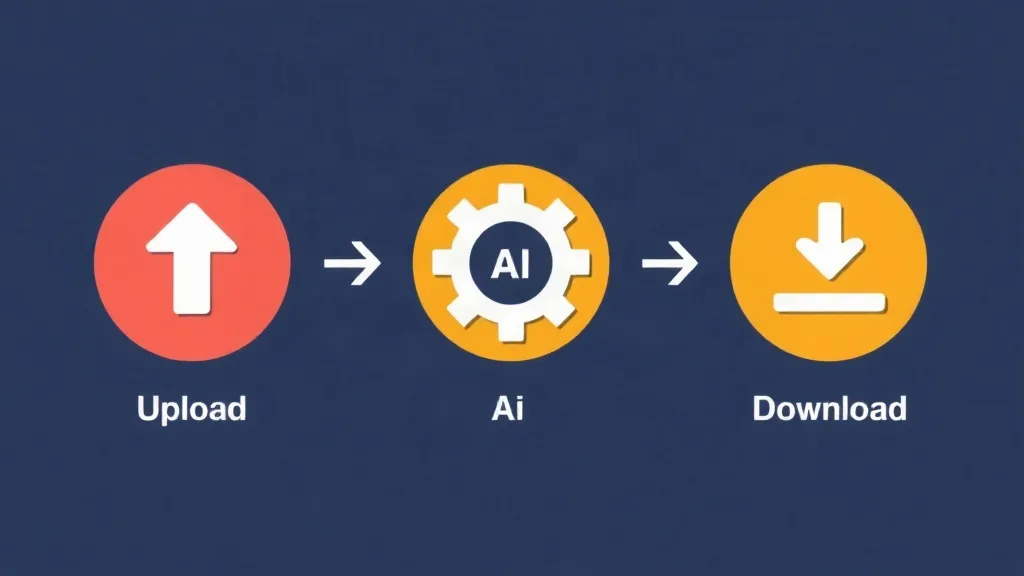
How It Works in 3 Simple Steps
- Upload Your Image: Click the upload button and select a high-resolution photo from your device. The clearer the image, the better the AI can maintain the subject's identity and lighting consistency.
- AI Processing: Our neural network analyzes the pose, body structure, and clothing layers. It then generates the underlying anatomy and skin texture, replacing the clothing pixels with realistic flesh and muscle detail.
- Download Result: Once the generation is complete (usually takes less than 10 seconds), you can immediately download the final image in high resolution. The file is processed entirely in a secure, isolated environment.
Key Features & Benefits
We have engineered UndressAI to be the most user-friendly tool in the market. Here is why thousands of users prefer us over other generators:
- High-Resolution Output: Results are generated in HD quality, ensuring that when you zoom in, the details hold up. No pixelation or blurry artifacts.
- Blazing Fast Speed: Our servers are optimized for low-latency generation. You will not have to wait minutes for a result; it happens almost instantly after you click start.
- Total Privacy: We do not keep your data. This is a strict policy. All uploaded files are encrypted in transit and are automatically purged from our servers immediately after the generation process completes.
- No Sign-Up Required: Unlike other platforms that force you to create an account and verify your email, we keep it simple. You can use the tool anonymously.
Tips for Best Results
Note: To get the most realistic result, ensure your source photo is taken in natural or consistent lighting. Avoid shadows that obscure facial features or body contours. A front-facing or slightly angled photo works best for the AI’s spatial understanding.
| Factor | Recommendation |
|---|---|
| Resolution | Minimum 512x512 pixels. Higher is better for detail. |
| Lighting | Even, soft lighting. Avoid harsh backlighting. |
| Pose | Standing or sitting upright. Complex crouching poses may result in distortion. |
| Background | Simple backgrounds help the AI focus on the subject. |
By following these guidelines, you ensure that the AI has enough data to accurately reconstruct the body beneath the clothes. The technology relies on deep learning models trained on massive datasets of anatomical structures, allowing it to predict skin tone and muscle definition with high precision. This is not just a fun trick; it is a demonstration of how far generative AI has come in understanding the human form.
Ready to Try? Head to the top of the page and upload your first image. The tool is ready and waiting. Experience the future of image manipulation with UndressAI.
Frequently Asked Questions
Is UndressAI really free to use?
Do I need to create an account?
Are my photos stored on your servers?
How realistic are the results?
Can I use this on group photos?
What file formats are supported?
Is there a limit to image size?
Why does my image look blurry?
Can I cancel my subscription?
Is it safe to use on a work computer?